How to stop Chrome saving your history without going incognito
Incognito fixes one problem by creating another. There are quieter ways.
Incognito keeps a page out of your history by signing you out of everything first. That is a bad trade for one search, so most people skip it and let the search go into their history instead.
You don't have to. Chrome can stop recording where you go while every login stays exactly where it is. Pick by how long you want it to last:
| What you want | Use | Your logins |
|---|---|---|
| One search, right now | dashi's Off the record | Untouched |
| One site, never recorded | A history auto-delete rule | Untouched |
| Work and personal, kept apart | A second Chrome profile | A separate set |
| To browse as a stranger | Incognito | Signed out |
Why incognito signs you out
An incognito window is not a setting applied to your browsing. It is a second, empty container. Chrome gives it a fresh set of cookies, storage and cache, then throws all of it away when you close the last incognito window.
Being signed in to a site means that site left a cookie in your browser. The new container has none, so you are not signed in to anything. You were never signed in there to begin with.
- Your cookies
- Signed in everywhere
Off the record switches history off and leaves this alone.
- No cookies
- Signed out of everything
A fresh, empty set, thrown away when you close it.
That design is right for a borrowed laptop, for checking how a site looks to a signed-out visitor, or for a second account. It is the wrong shape for the common case: your own machine, and one search you would rather not keep.
One click, on the page you're already on
Off the record does the narrow version of the job: stop writing to history, change nothing else. Open the dashi popup from your toolbar, click it, and Chrome stops recording visits for an hour. Cookies, sessions and open tabs carry on untouched.
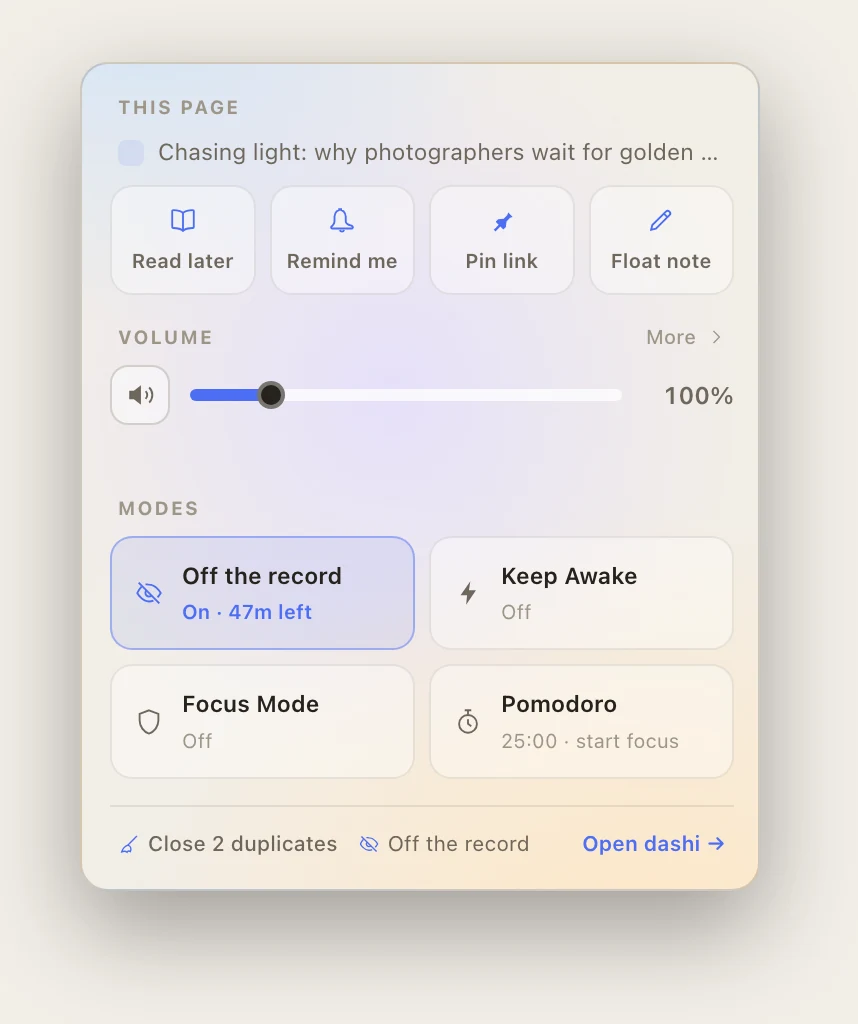
Click it again to stop early. It also ends on its own when the hour is up. That is deliberate: leaving it on by accident, and losing a week of history you wanted, is the worse mistake.
One site you never want recorded
For a site you never want in your history, a timer is the wrong tool - you have to remember, every time. dashi's History widget takes auto-delete rules instead. Name a site, or a word in the address, or a word in the page title, and matching visits are deleted the moment they happen.
You set it once. Deleting entries afterwards, from chrome://history, is free and works fine. But it depends on you remembering, at the moment you have already moved on to something else.
What none of this hides
Not saving history is a local change. It controls what gets written down on your computer and nothing else. Incognito is the same, whatever the name suggests.
None of these options hide your browsing from:
- The sites you visit. If you are signed in, they know exactly who you are.
- Your employer or school, on a managed device. Managed Chrome can report browsing whatever your local settings say.
- Your internet provider, or whoever runs the network you are on.
- A VPN provider, if you use one. You moved the trust, you did not remove it.
What they do fix is the ordinary kind of privacy. Your address bar does not autocomplete something awkward while you are sharing your screen. Your laptop does not keep a permanent list of everywhere you have been.